Play Training
Create Good/Better/Best Proposals
Number of Guide Steps: 5
This guide will show you how to create Good / Better / Best proposals in Vision VX.
Steps in the Guide:
- 1. Create Your "Best" Campaign
- 2. Copy the Campaign
- 3. Give the Copy a Descriptive Name
- 4. Update all the Details of the Copied Campaign
- 5. Manage each Campaign Uniquely
Step 1
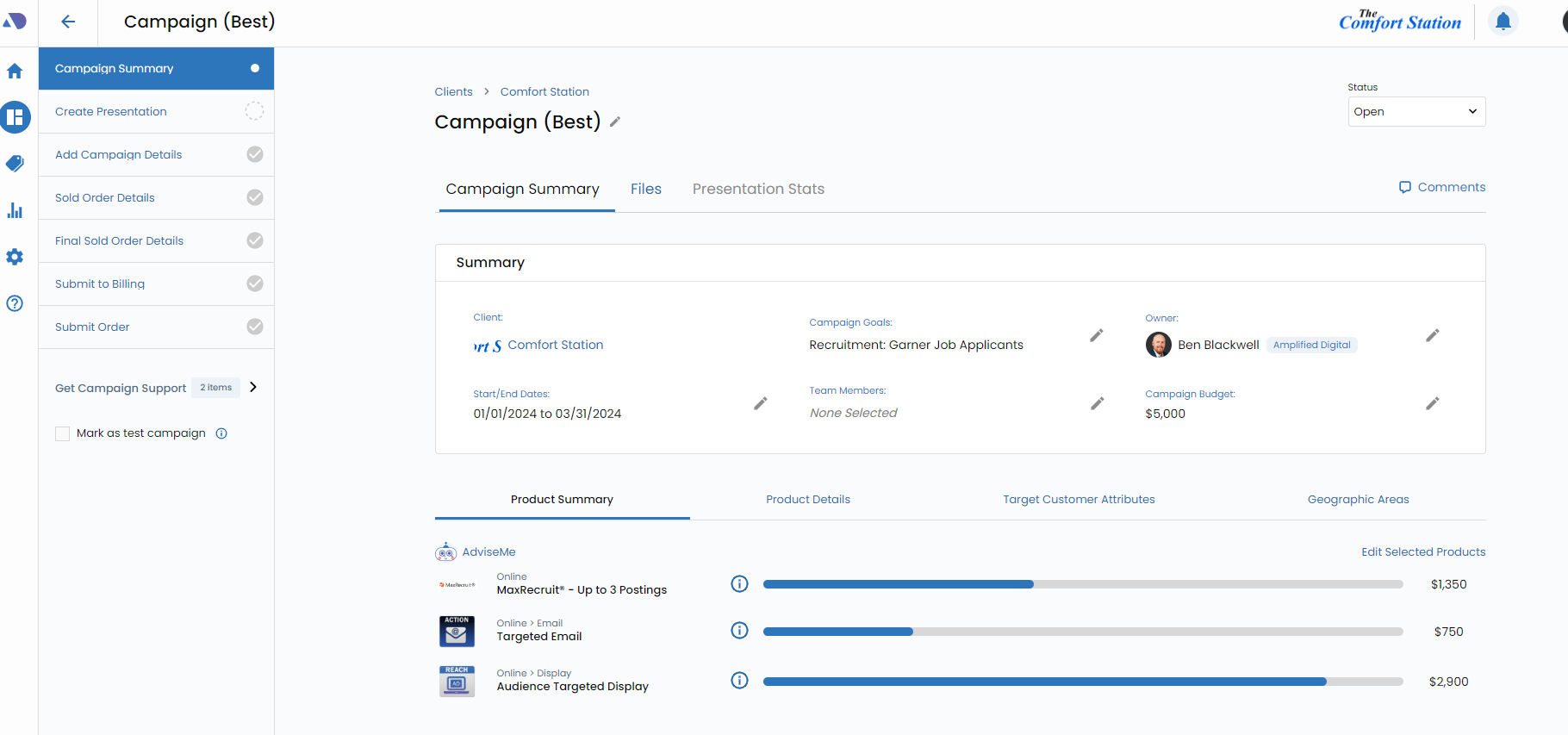
Create Your "Best" Campaign.
Create a campaign that reflects your Best options. Include all the products you want and the Campaign Support to get estimates and avails.
Step 2
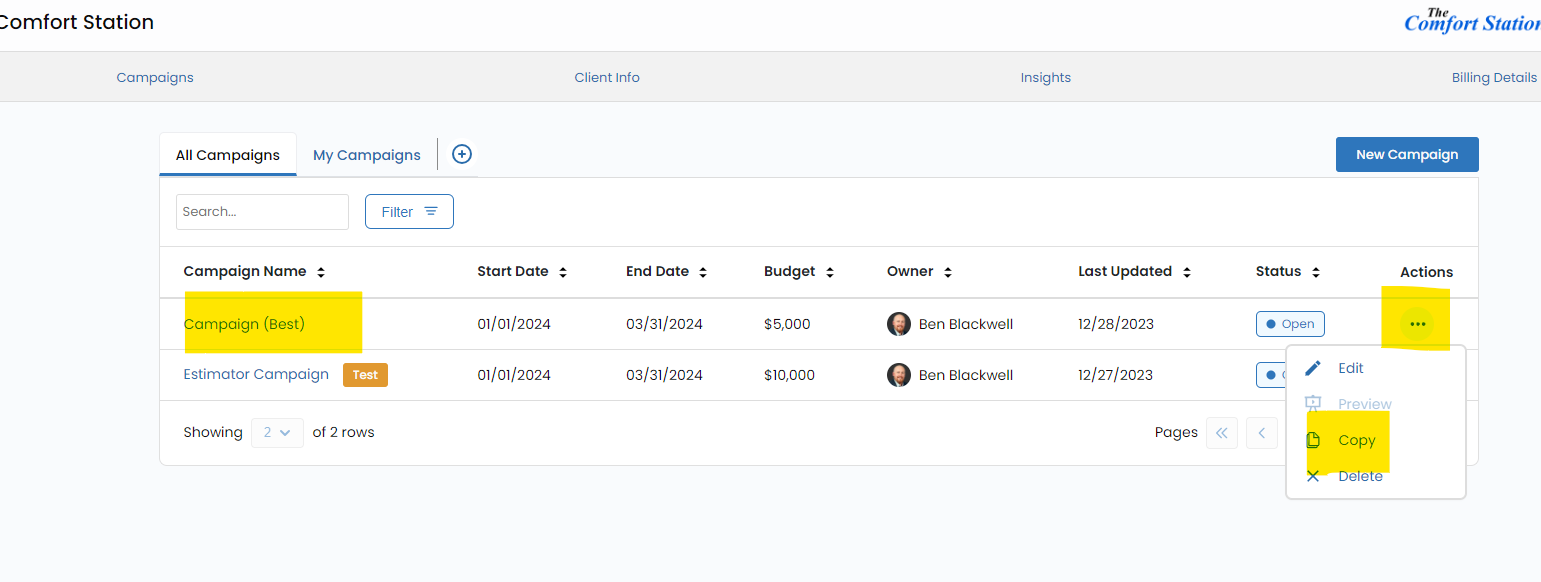
Copy the Campaign.
Once complete with all the details of the "Best" campaign. Copy it.
Step 3
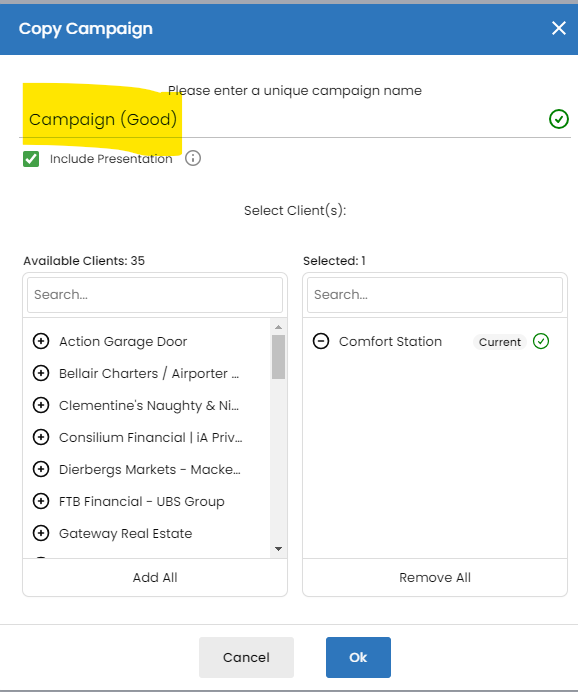
Give the Copy a Descriptive Name.
For instance, Good or whatever suits you.
Step 4
Update all the Details of the Copied Campaign.
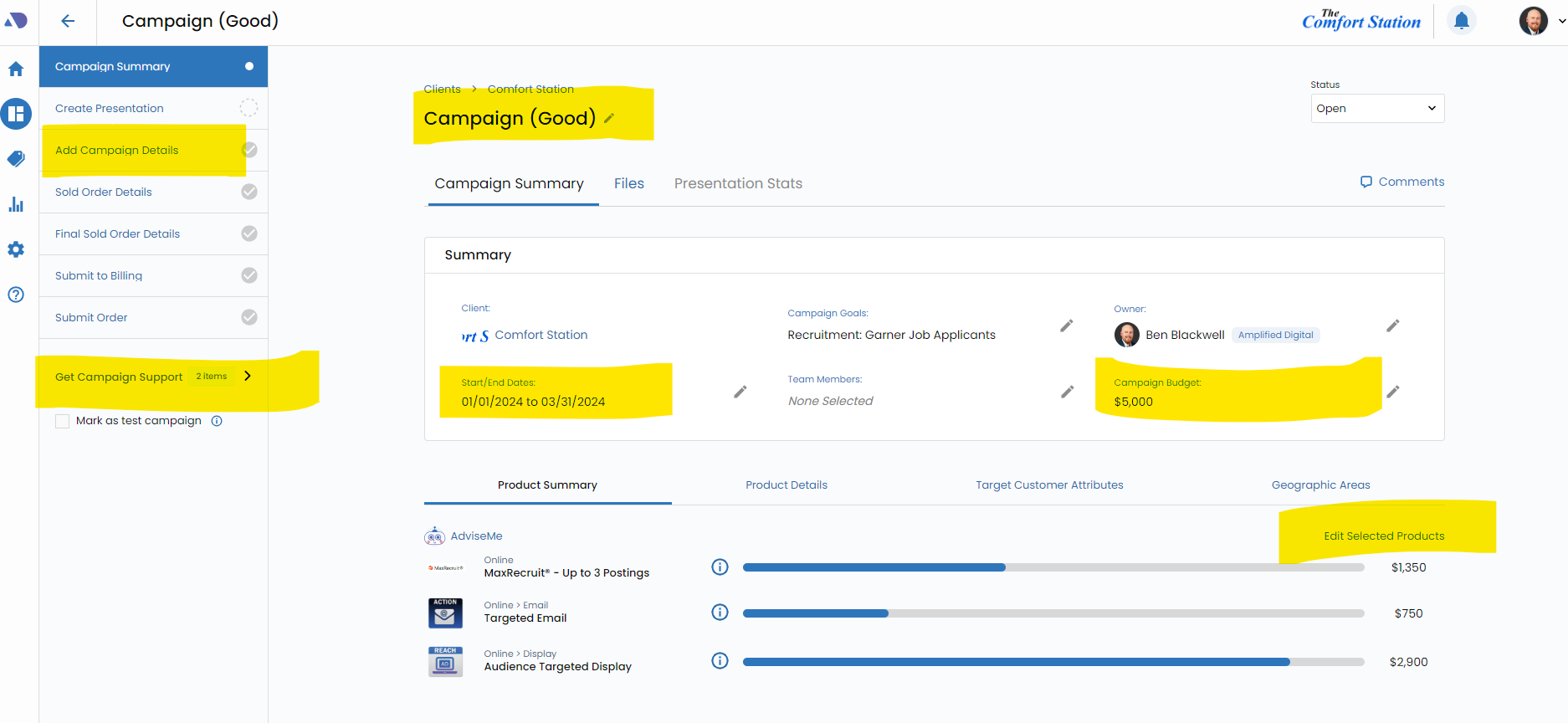
Update all the details, pricing, products and slides to reflect the 2nd version of your campaign proposal.
Step 5
Manage each Campaign Uniquely.
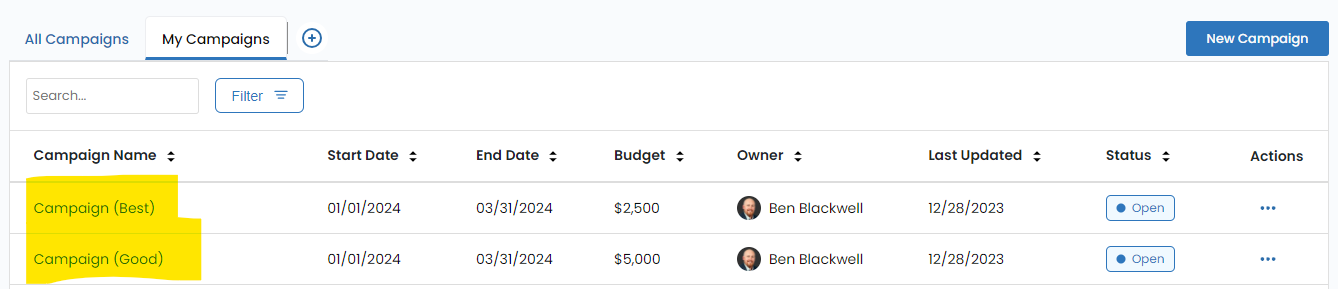
You may now edit each recommendation uniquely, customing the products, budgets, presentations and so on. There is also the benefit that each one receives it's own presentation URL.
Continue Training
Proceed to the next guide, Edit A Campaign.
Next Guide: Edit A CampaignThis website, including attachments, links, videos and other materials may include confidential and/or proprietary information, and may be used only by Lee Enterprises employees. If the user of this website is not a Lee Enterprises employee or his or her authorized agent, the user is hereby notified that any dissemination, distribution or copying of this website is strictly prohibited. If you have received this website in error, please delete your browser cookies and close this website.
Read this Page