Play Training
Change Targeting
Number of Guide Steps: 5
Adjusting targeting parameters is a straightforward process within Vision VX, allowing you to refine your audience focus efficiently.

- 1. Access Order Details
- 2. Choose the Relevant Product(s)
- 3. Click the Modify Button
- 4. Request Targeting Changes via Notes
- 5. Click Submit
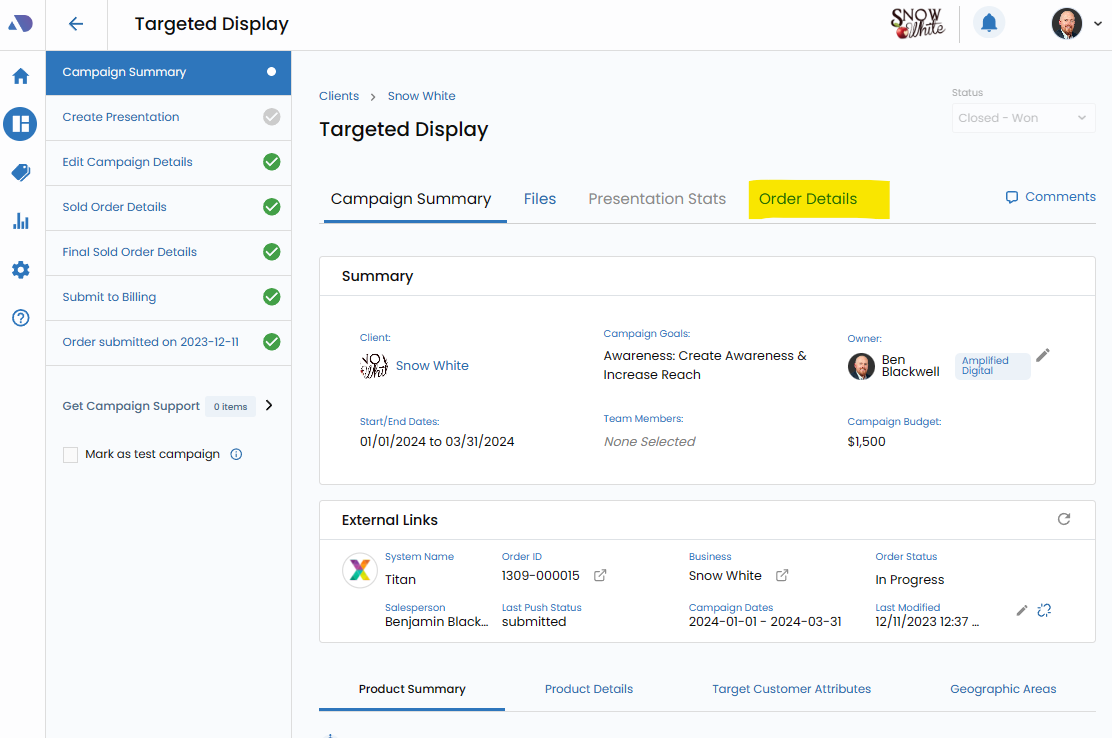
Access Order Details.
Begin by navigating to the Order Details tab within your campaign in Vision VX.
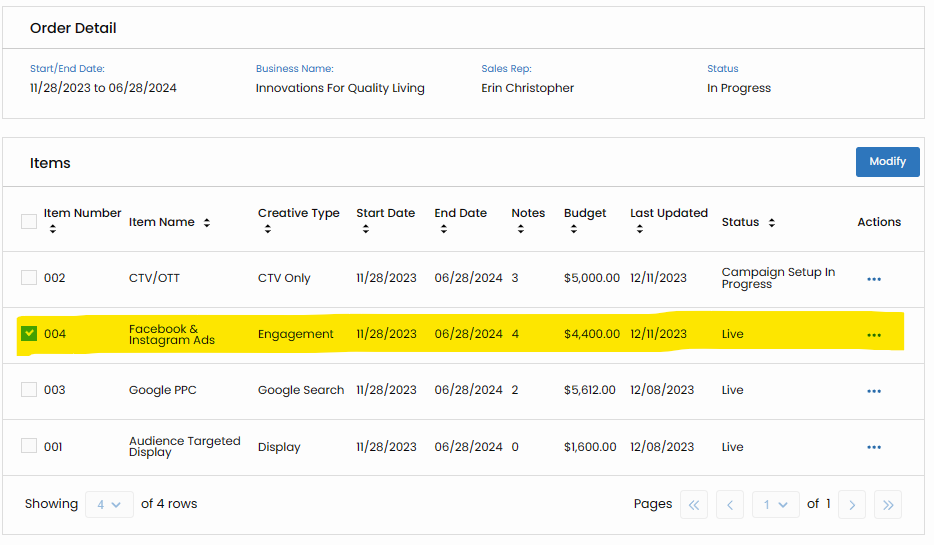
Choose the Relevant Product(s).
Check the box next to the product(s) for which you wish to make targeting changes. This step ensures that your adjustments are specific to the chosen product(s).
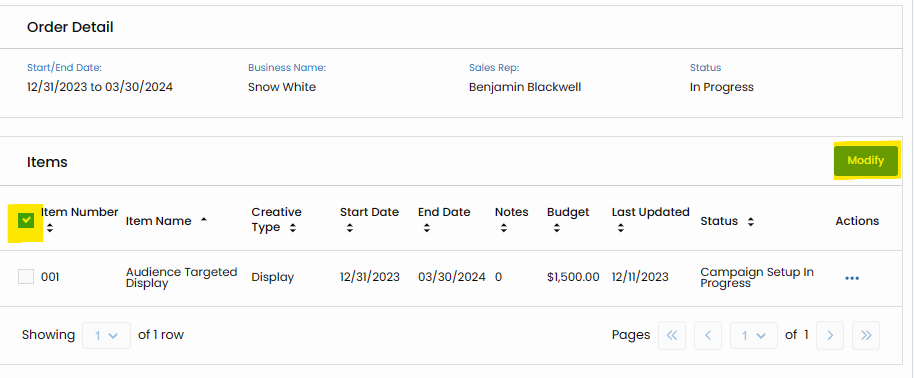
Click the Modify Button.
Initiate the modification process by clicking the "Modify" button. This action opens up avenues for refining targeting parameters associated with the selected product(s).
Request Targeting Changes via Notes.
Within the Notes section, articulate the precise targeting changes you are seeking. Clearly state your adjustments to audience parameters, allowing for accurate implementation.
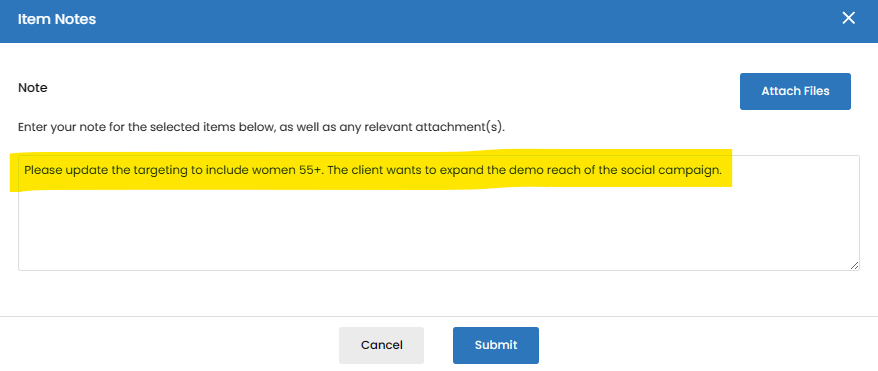
Click Submit.
Confirm your targeting change requests by clicking "Submit." This step signals the system to process your modifications, aligning the campaign with the updated targeting criteria.