Play Training
Order Status
Introduction 6 of 10
Understanding Order Status
Understanding the intricacies of order and line item statuses is crucial for effectively managing campaigns, especially those involving Affinity X (Titan) managed products within Vision VX. These status areas provide a snapshot of the current state of affairs, offering valuable insights into the lifecycle of each order and its constituent line items.
 Related How To Guides:
Let's First Examine Order Status:
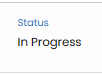
The order status, within the Order Details tab of a campaign in Vision VX is used to describe the total order's current status.
-
Submitted:
- Description: The order has been successfully submitted to Titan and is currently undergoing the setup process. This stage marks the inception of the order's journey within the Titan platform.
-
Action Required:
- Description: This status signals that Titan requires specific information or action from the Lee team to progress further. It serves as a collaborative checkpoint where communication between the teams becomes pivotal.
-
In Progress:
- Description: The order has transitioned to an active state within Titan, indicating that it is live and operational. This status aligns with the campaign's runtime, showcasing that it is actively running and fulfilling its intended purpose.
-
Completed:
- Description: The order has reached fulfillment and is marked as completed. This status is indicative of a successfully executed campaign lifecycle, from setup to completion.
-
Canceled:
- Description: The order has been canceled, signifying the termination of the campaign before or during its runtime.
Next, Let's Look at Individual Product Status using Line Item Status:

The line item status is used to show the individual status of each product in Titan and where it is in the process.
-
Set Up in Progress:
- Description: This status denotes that the product flight setup is in progress within Titan. The various parameters and configurations for the specific product are being fine-tuned and prepared for launch.
-
On Hold:
- Description: The product flight is currently on hold for various reasons. This status indicates a temporary pause or delay in the scheduled progress of the specific product.
-
Action Required:
- Description: Titan requires additional information or specific actions from the Lee team regarding the particular product. Effective communication and collaboration are essential to resolve any pending matters.
-
Scheduled:
- Description: The product is scheduled to go live according to the specified start date. This status anticipates the imminent launch of the product within the overall campaign timeline.
-
Live:
- Description: The product is actively live and operational. It is executing its role within the campaign, delivering the intended results and serving its purpose.
-
Paused:
- Description: The product is temporarily paused, indicating a deliberate interruption in its active status. This status could be initiated for various reasons, with the intention to resume the product's operation later.
-
Canceled:
- Description: The product has been canceled, mirroring the same status at the order level. This signifies the discontinuation of the specific product within the campaign.
Navigating these nuanced status indicators empowers users to monitor, troubleshoot, and optimize campaigns seamlessly within the Vision VX ecosystem, ensuring a comprehensive understanding of the campaign's lifecycle.