Play Training
Order Renewals
Introduction 8 of 10
Let's Learn about Campaign Renewals in Vision VX
Campaign renewals in Vision VX are your ticket to seamlessly extend and enhance successful campaigns for ongoing success.
Renewals involve the strategic process of creating a new campaign for the renewal period, leveraging the Copying capabilities within Vision VX.
This process is guided by the objective of maintaining or adjusting campaign elements based on the renewal requirements.
 Related How To Guides:
Let's look at the two different types of renewals in Vision VX.
Straight Pickup Renewal
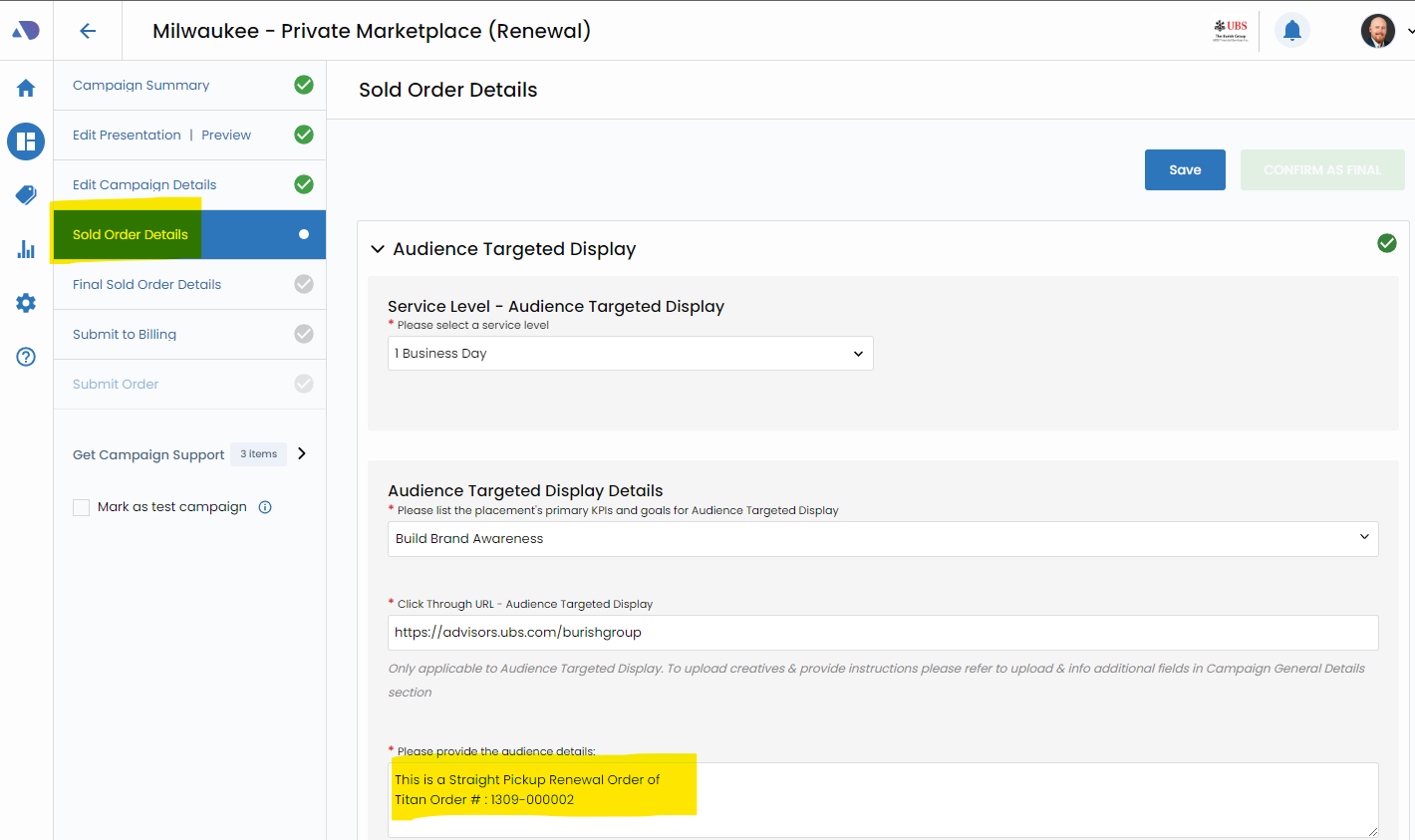
The straight pickup renewal is a streamlined approach where the existing campaign is duplicated without significant changes to pricing, targeting, or other details. The key is to confirm new run dates for the renewed campaign.
The Sold Order form will reference the Titan Order ID from the original campaign, ensuring a clear link between the two.
Pickup and Change Renewal
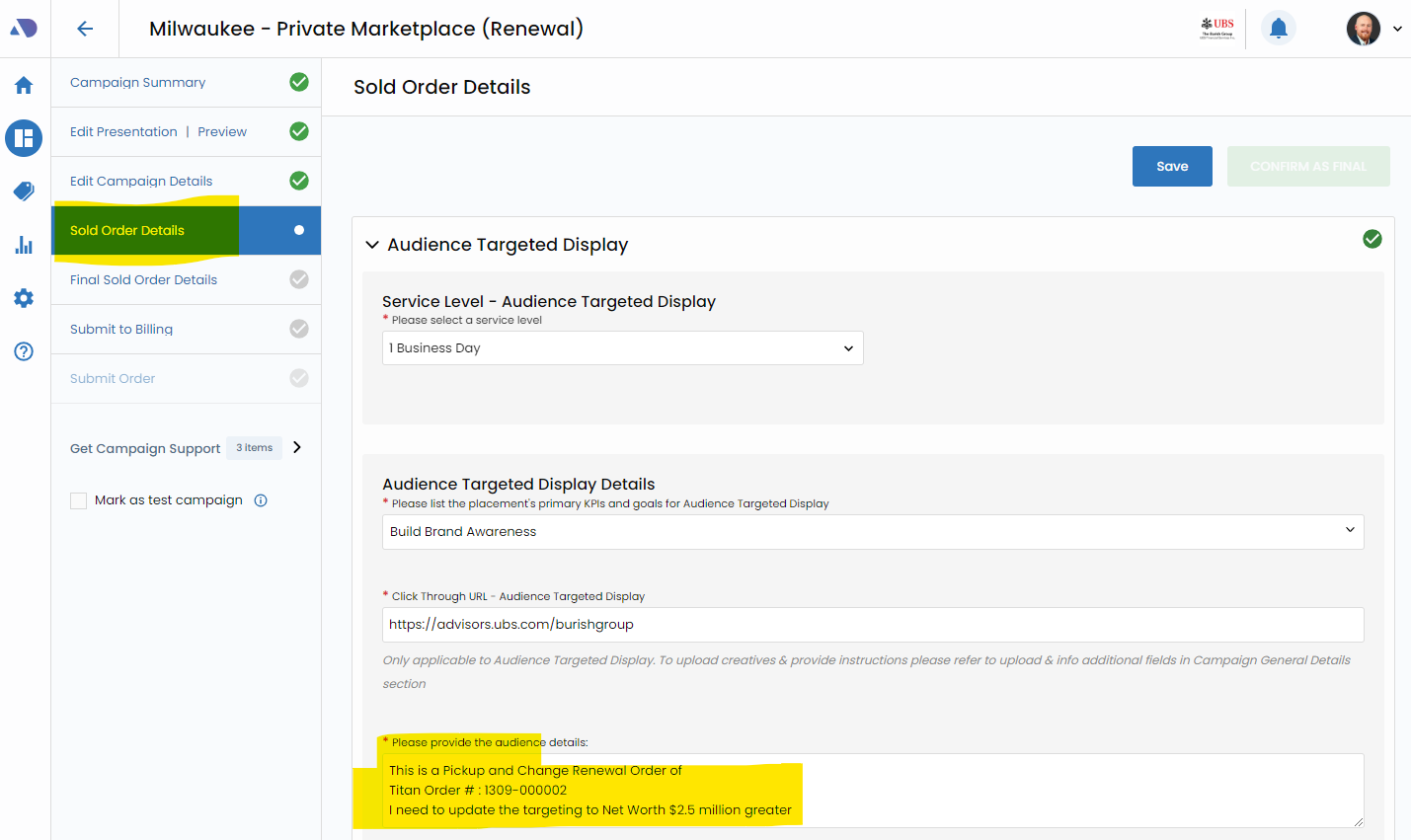
The pickup and change renewal is employed when modifications are needed, such as adjusting products, budgets, targeting, or other campaign details.
During this renewal, specific elements marked for change are highlighted on the campaign. The Titan Order ID from the original campaign is referenced, maintaining continuity.
While completing the sold order form, clear communication with the Affinity X (AX) team is crucial, indicating any necessary updates to conversions or creative elements.
Renewal Process Overview
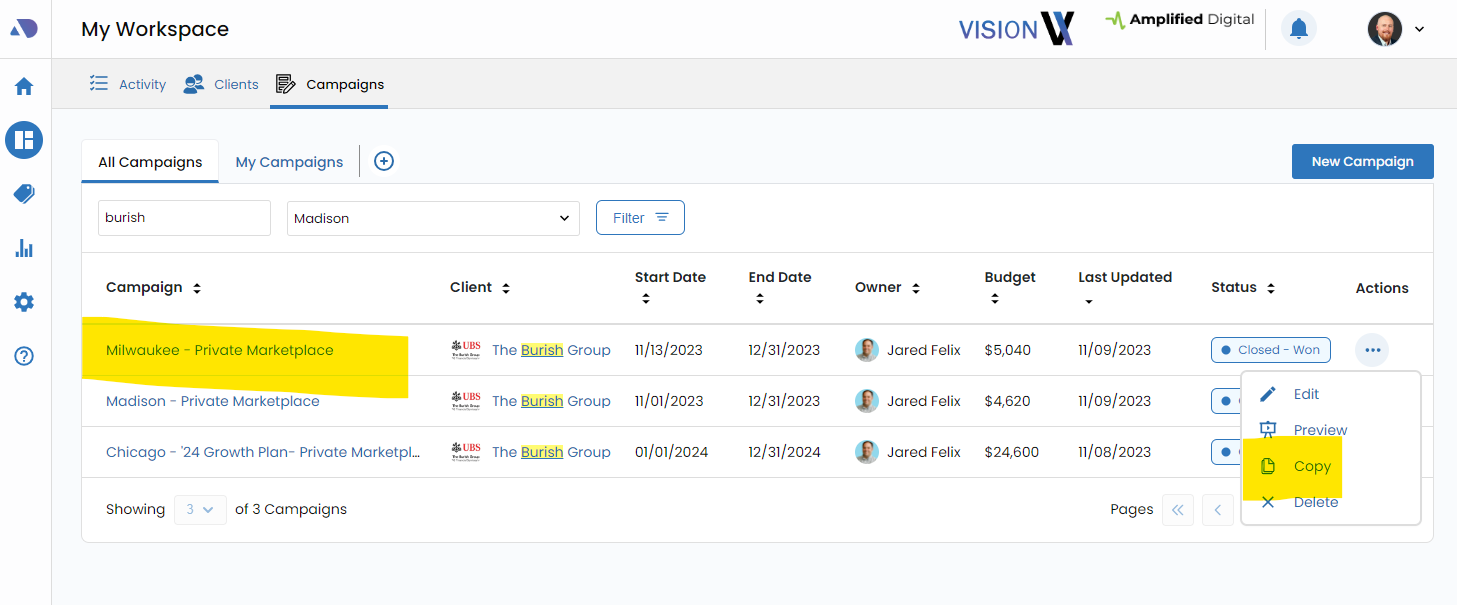
Campaign Duplication (Copy)
Begin the renewal process by duplicating the existing campaign, setting the stage for adjustments.
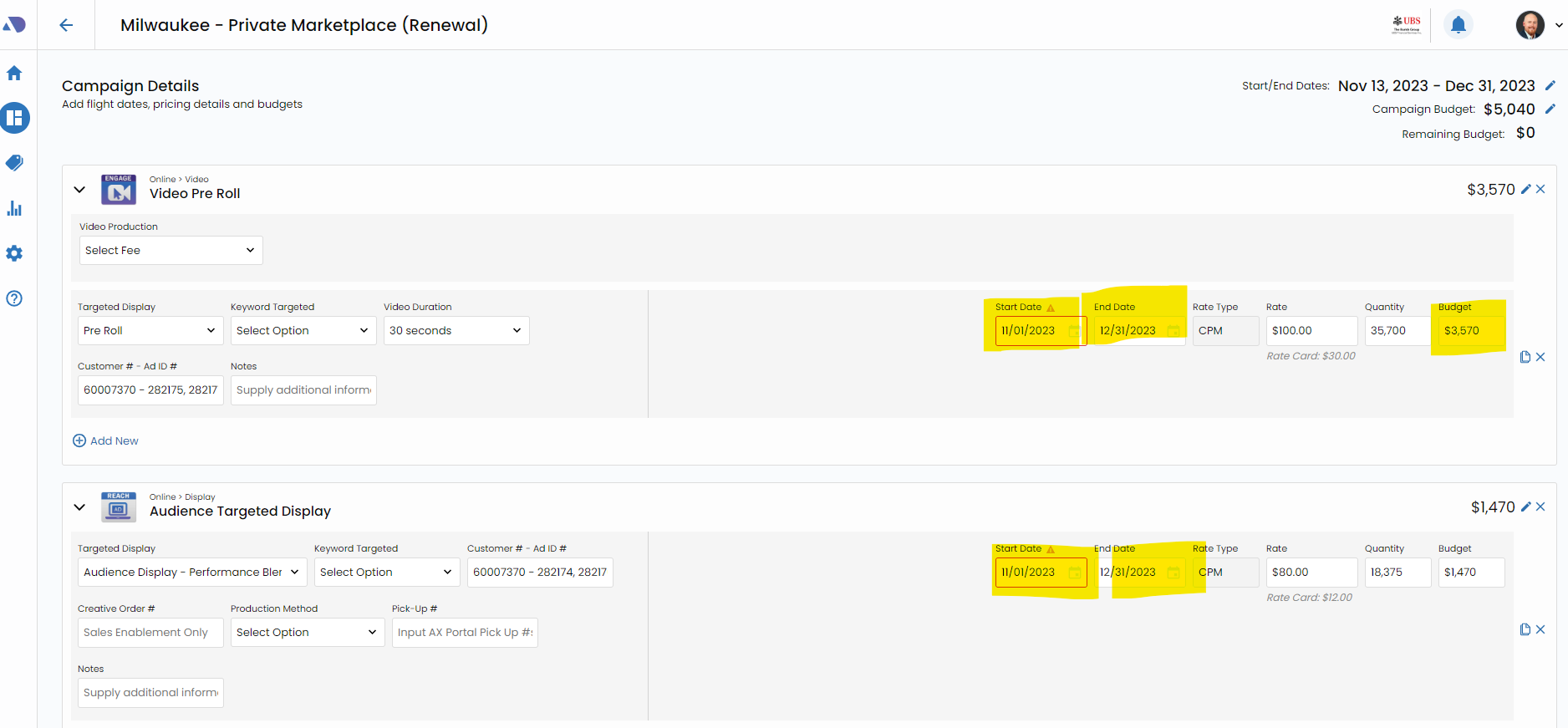
Campaign Details Confirmation:
Confirm and update campaign details, ensuring accuracy for the renewed period.
Sold Order Forms:
Generate and complete the necessary sold order forms, outlining the specifics of the renewal. For straight pickup renewals, reference the Titan Order ID from the original campaign.
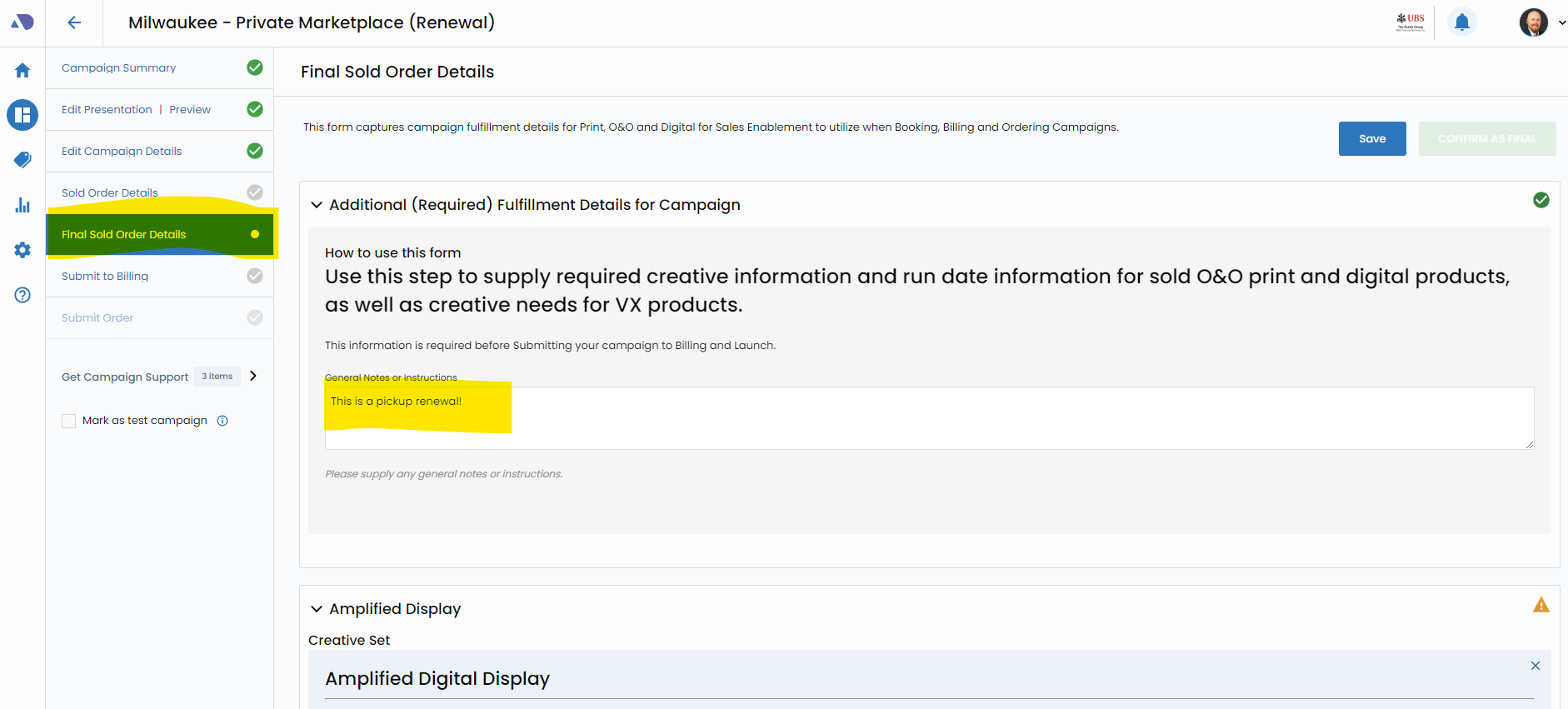
Final Sold Order Forms
Finalize the sold order forms, ensuring all details are accurate and aligned with the renewal requirements.
Submit to Billing
Conclude the renewal process by submitting the order to billing, initiating the necessary steps for finance system integration.
Key Considerations for Pickup and Change Renewals
Provide clear instructions to the Affinity X (AX) team during the renewal process, especially for changes to conversions or creative elements.
Uniform Sold Order Process
Renewals follow the same sold order process as new campaigns, ensuring a standardized and efficient workflow from duplication to billing.
Embark on your campaign renewal journey with Vision VX, where seamless transitions and strategic adjustments pave the way for continued success.